

For iPhone and Android
Learn to DJ
Count beats, bars and phrases the way DJs do: by listening and tapping instead of reading a waveform.

- Module 1 is free
- No account
- No subscription
How a lesson works
You learn by listening and tapping
Every lesson is short, and most of it is hands-on. Use headphones or the phone speaker. Each lesson mixes four kinds of steps.
-
Listen first
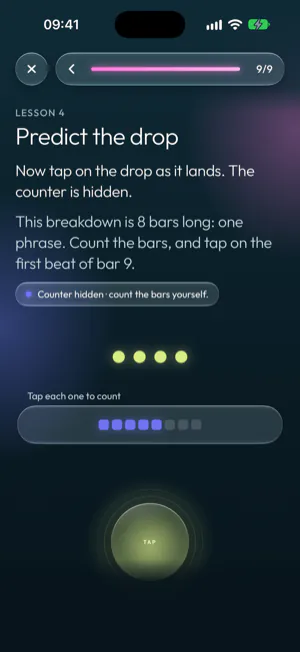
Short clips play in the app, and you count along by ear. In Predict the drop the counter is hidden: you count the 8 bars of a breakdown and tap as the drop lands.
-
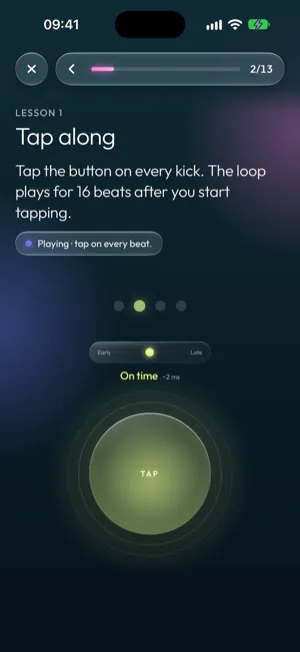
Tap along on the beat
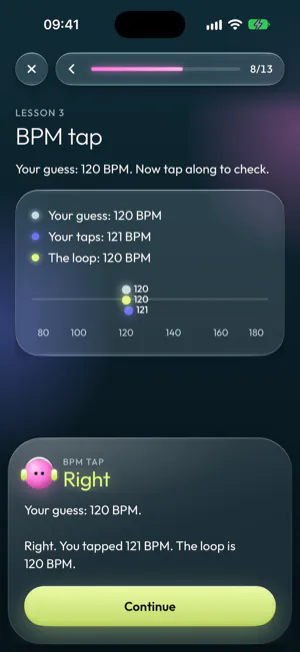
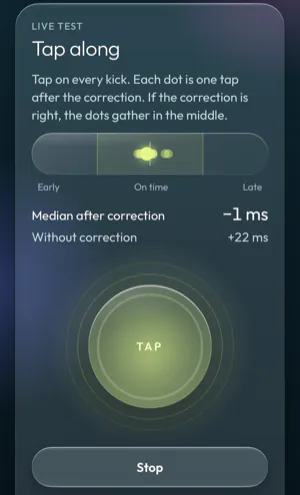
Tap on every kick. Each scored tap shows whether you were early, on time or late, and by how many milliseconds.
-
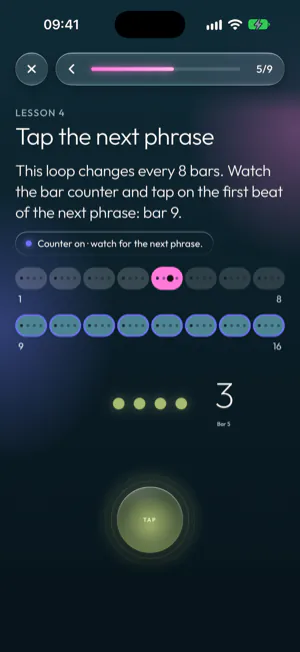
Read the track
Bar counters and track maps show bars and phrases, so you can see where a change lands before you hear it.
-
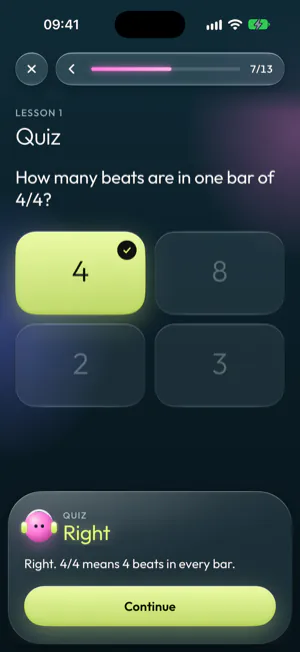
Choose and count
Quizzes, BPM guesses and counting exercises check that you can hear bars, phrases and tempo. Right or wrong, every answer comes with an explanation.
What you learn
Seven modules, from beats and bars to the history of house and techno
The course starts with timing and goes on to keys, tempo, track structure, chords, choosing the next track, and the history of house and techno.
Module 1 is free. The full course is one purchase.
- Module 1 is free and needs no account.
- The full course is a one-time purchase, not a subscription. Nothing renews and there is nothing to cancel.
- It opens Modules 2 and 3 now, and Modules 4 to 7 when they are released.
- The app shows the price for your country before you confirm the purchase.
Available now
-
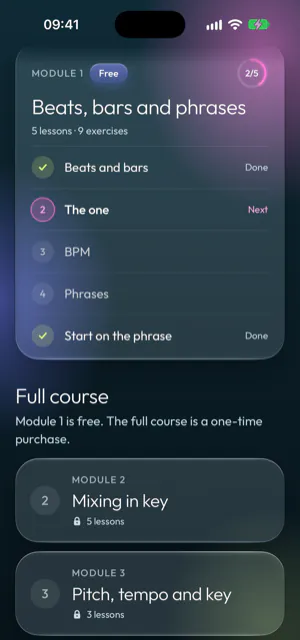
Module 1
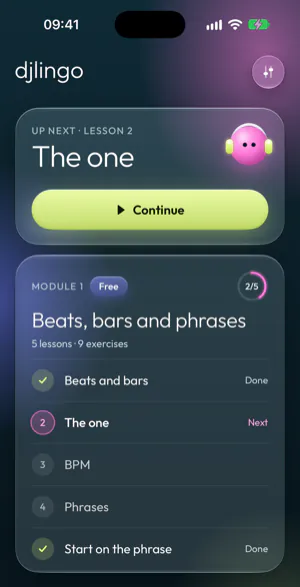
FreeBeats, bars and phrases
5 lessons, about 20 minutes
Count beats and bars by ear, find the one, work out and tap the BPM, count 8-bar phrases, and start a second track on the phrase.
- Beats and bars
- The one
- BPM
- Phrases
- Start on the phrase
-
Module 2
Full courseMixing in key
5 lessons
Hear major and minor keys, read the Open Key wheel, and choose tracks whose keys mix.
- Why key matters
- Major or minor
- The key wheel
- Keys that mix
- Plan a mix in key
-
Module 3
Full coursePitch, tempo and key
3 lessons
Tempo ranges and half-time, how the pitch fader changes tempo and key, and what key lock does.
- Tempo
- Pitch and key
- More moves
Coming soon, included in the full course
Modules 4 to 7 are in the app, marked “Coming soon”. With the full course they open when they are released, at no extra cost.
-
Module 4
Coming soonPhrasing and track structure
How tracks are built from sections, where to mix in and out, where to place the incoming drop, and how to handle tracks with irregular phrases.
-
Module 5
Coming soonChords and scales in dance music
Build the chords of a key, read chord loops in numbers, and hear the minor scales that dance music often uses.
-
Module 6
Coming soonChoosing the next track
Choose the next track from a crate: whether the pitch fader can reach its tempo, whether its drums fit, where it takes the energy, and whether its key mixes.
-
Module 7
Coming soonWhere house and techno come from
From New York disco to Chicago, Detroit, Belgium, the UK and Berlin, with each era to hear in Djlingo’s own grooves.
Tap timing
Tap scores corrected for sound delay
Speakers and headphones play sound a little after the app sends it. Djlingo corrects your taps for that delay, so tap exercises score what you actually hear.
-
Automatic
Djlingo uses the delay your phone reports for the speaker or headphones in use, or a usual delay for that output when the phone does not report one.
-
Start right away
You can start your first lesson without a timing check.
-
Early, on time or late
Every scored tap shows whether it was early, on time or late, and by how many milliseconds.
-
Tap timing in Settings
See the correction in use and try it with a live tap test. You can also run the timing check to measure the delay of your own headphones.
Privacy
No account, no ads, no tracking
You can use Djlingo without giving us any personal details.
-
No account needed
There is no sign-in. Djlingo does not ask for your name, email address, Apple ID or Google account.
-
Progress on your phone
Your lesson progress is stored on your phone.
-
End-to-end encrypted backup
The backup is encrypted on your phone with a key we never receive, so we cannot read it. You can switch it off in Settings.
-
Anonymous usage statistics
The app sends us events about how it is used: onboarding steps, lessons started, left and finished, exercise results, timing check results, coming-soon modules viewed, backup switched on or off, data deleted, and views and purchases of the full course with the version of the offer you saw. Each event has a random ID that is new each time the app starts, plus the platform, the app version and the language and country set on your phone. Crash reports go to Sentry, without your name, email address or lesson progress.
-
No ads and no tracking
The app does not use the advertising identifier and does not track you across apps or websites.
-
No microphone
Djlingo never records sound and never asks for access to your microphone.
Read the privacy policy and the terms of use.
Questions
Questions and answers
More answers on the support page.
What does Djlingo cost?
Module 1 is free. The full course is a one-time purchase, not a subscription: you pay once, nothing renews and there is nothing to cancel. It opens Modules 2 and 3 now, and Modules 4 to 7 when they are released, at no extra cost. The app shows the price for your country before you confirm.
Which phones does Djlingo work on?
iPhone with iOS 16.4 or later, from the App Store, and Android 7.0 or later, from Google Play. You can use the phone speaker, wired headphones or Bluetooth headphones.
Do I need an account?
No. Djlingo has no accounts and no sign-in. Your progress is stored on your phone, and the app keeps an end-to-end encrypted backup that you can switch off in Settings.
Do I need an internet connection?
Not for Module 1: all lesson audio is built into the app, so its lessons work without a connection. To open the full course, the app checks your purchase with the App Store or Google Play, which can need a connection. The app also goes online to update the encrypted backup, send anonymous usage statistics and crash reports, and buy or restore the full course.
How do I get the full course back on a new phone?
Sign in to the App Store or Google Play with the account you bought it with, then tap “Restore purchases” in Settings. A purchase from the App Store does not open the full course on Android, and a purchase from Google Play does not open it on iPhone. See restoring a purchase.
Can I get a refund?
Apple or Google handles the payment, so refunds go through them under their own refund policies. On iPhone, request a refund at reportaproblem.apple.com. On Android, request it from your order history in Google Play. If Google Play’s refund window has passed, email us at hello@easystreet.be.
Which languages does the app support?
English, Dutch, French and German. Djlingo uses the language set on your phone.
Start with Module 1
Module 1 is free: five lessons on beats, bars, BPM and phrases, in about 20 minutes. You do not need an account.